


€ 34,83 Gratis verzending

Gesponsorde links
|
|
34,83 |
Naar shop
|

|
36,26 |
Naar shop
|

|
36,26 |
Naar shop
|
| VERGELIJK ALLE AANBIEDERS (3) | ||
 Beschrijving
Vergelijk aanbieders (3)
Gesponsorde links · Sommige shops betalen ons een vergoeding
€ 34,83 Gratis verzending
€ 36,26 Gratis verzending
€ 36,26 Gratis verzending
Winkels met andere maten
Beschrijving
(1)
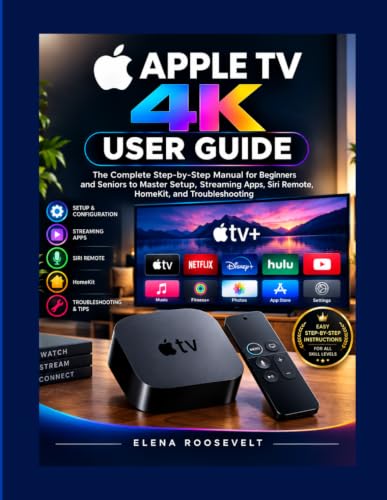
You bought an Apple TV 4K to make streaming easier. So why does the box feel like it needs a manual just to plug in? Here's the truth: Apple TV 4K is one of the most capable little devices you can put in your living room - but only if you actually know what it can do. Most owners use maybe a third of its features. They never realize the Siri Remote can search across every app at once, that HomeKit lets this device quietly run their entire smart home, or that a few simple picture and sound tweaks are the difference between "fine" and genuinely stunning 4K HDR with Dolby Atmos. Nobody tells you any of this - because the instructions that come in the box barely qualify as instructions. This guide fixes that, one calm, no-jargon step at a time. Instead of assuming you already know what HDMI or " Home Hub" means, it starts exactly where you are and builds from there - the way a patient friend would, not a tech manual written for engineers. By the end, you'll be able to: - Go from open box to first stream in minutes, with every setting configured correctly the first time- Use the Siri Remote and voice commands like second nature, instead of guessing which button does what- Get true reference-quality picture and sound out of your TV and soundbar, automatically- Turn your Apple TV 4K into a smart home hub that controls your lights, locks, and cameras - even when you're away- Fix the small glitches yourself in minutes, instead of losing an evening to forums or waiting on hold- Unlock features most owners never even find, from Picture-in-Picture to built-in fitness tracking >You already own the device. Now own the confidence that comes with actually knowing how to use it. Scroll up and grab your copy - your future self, three menus deep and completely unbothered, will thank you.
 Prijshistorie
* Prijshistorie bevat geen data van Amazon, Amazon Marketplace.
Prijzen voor het laatst bijgewerkt op:
 Gerelateerde resultaten
 Productspecificaties


