
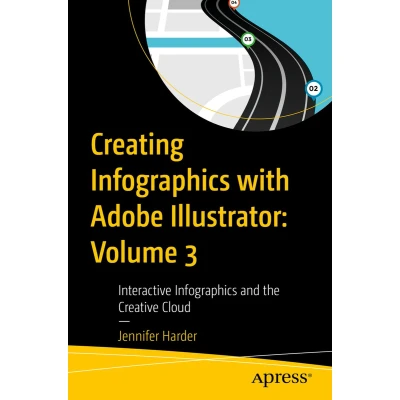
Creating Infographics with Adobe Illustrator: Volume 3
Uitgelicht

|
47,99 |
Naar shop
|
| VERGELIJK ALLE AANBIEDERS (1) | ||
 Beschrijving
Bol
This full-color book, the third of three volumes, focuses on Adobe Illustrator’s SVG interactivity tools. How can an infographic be made more interactive for an audience? What additional Illustrator tools and Adobe applications can be used to enhance your infographic layout? In this final volume of Creating Infographics with Adobe Illustrator, you will learn the answers to all these questions. Author Jennifer Harder will walk you through creating basic infographics in Illustrator using Illustrator tools for creating SVG files, known as Scalable Vector Graphics, for basic Interactivity on a web page. Then you will review layouts in other Adobe Applications in relation to their connectivity with Illustrator. Upon completing this volume, you will have a thorough understanding of how to design an infographic with basic interactivity for a web page, and how this can improve visualization and convey meaning to your audience. Moreover, you will be able to use this knowledge to create your own infographics using Illustrator’s wide array of tools. You will: Discover how to apply interactivity to an infographic Gain insight into different infographic layouts and how to finalize your project with your client Explore other Adobe Creative Cloud applications that may assist you in the future as you create your infographics This full-color book, the third of three volumes, focuses on Adobe Illustrator’s SVG interactivity tools. How can an infographic be made more interactive for an audience? What additional Illustrator tools and Adobe applications can be used to enhance your infographic layout? In this final volume of Creating Infographics with Adobe Illustrator, you will learn the answers to all these questions. Author Jennifer Harder will walk you through creating basic infographics in Illustrator using Illustrator tools for creating SVG files, known as Scalable Vector Graphics, for basic Interactivity on a web page. Then you will review layouts in other Adobe Applications in relation to their connectivity with Illustrator. Upon completing this volume, you will have a thorough understanding of how to design an infographic with basic interactivity for a web page, and how this can improve visualization and convey meaning to your audience. Moreover, youwill be able to use this knowledge to create your own infographics using Illustrator’s wide array of tools. What You Will Learn Discover how to apply interactivity to an infographic Gain insight into different infographic layouts and how to finalize your project with your client Explore other Adobe Creative Cloud applications that may assist you in the future as you create your infographics Who This Book Is For Beginner-level designers and others who are interested in learning the process of creating infographics for their company, the classroom, for, an article in a magazine, or adding interactivity to webpage.


Vergelijk aanbieders (1)

 Beschrijving
(1)
Beschrijving
(1)
This full-color book, the third of three volumes, focuses on Adobe Illustrator’s SVG interactivity tools. How can an infographic be made more interactive for an audience? What additional Illustrator tools and Adobe applications can be used to enhance your infographic layout? In this final volume of Creating Infographics with Adobe Illustrator, you will learn the answers to all these questions. Author Jennifer Harder will walk you through creating basic infographics in Illustrator using Illustrator tools for creating SVG files, known as Scalable Vector Graphics, for basic Interactivity on a web page. Then you will review layouts in other Adobe Applications in relation to their connectivity with Illustrator. Upon completing this volume, you will have a thorough understanding of how to design an infographic with basic interactivity for a web page, and how this can improve visualization and convey meaning to your audience. Moreover, you will be able to use this knowledge to create your own infographics using Illustrator’s wide array of tools. You will: Discover how to apply interactivity to an infographic Gain insight into different infographic layouts and how to finalize your project with your client Explore other Adobe Creative Cloud applications that may assist you in the future as you create your infographics This full-color book, the third of three volumes, focuses on Adobe Illustrator’s SVG interactivity tools. How can an infographic be made more interactive for an audience? What additional Illustrator tools and Adobe applications can be used to enhance your infographic layout? In this final volume of Creating Infographics with Adobe Illustrator, you will learn the answers to all these questions. Author Jennifer Harder will walk you through creating basic infographics in Illustrator using Illustrator tools for creating SVG files, known as Scalable Vector Graphics, for basic Interactivity on a web page. Then you will review layouts in other Adobe Applications in relation to their connectivity with Illustrator. Upon completing this volume, you will have a thorough understanding of how to design an infographic with basic interactivity for a web page, and how this can improve visualization and convey meaning to your audience. Moreover, youwill be able to use this knowledge to create your own infographics using Illustrator’s wide array of tools. What You Will Learn Discover how to apply interactivity to an infographic Gain insight into different infographic layouts and how to finalize your project with your client Explore other Adobe Creative Cloud applications that may assist you in the future as you create your infographics Who This Book Is For Beginner-level designers and others who are interested in learning the process of creating infographics for their company, the classroom, for, an article in a magazine, or adding interactivity to webpage.
 Productspecificaties
| EAN |
|
|---|---|
| Maat |
|
 Prijshistorie
Prijzen voor het laatst bijgewerkt op:
 Gerelateerde resultaten


