


€ 25,99 Gratis verzending

Gesponsorde links
|
|
25,99 |
Naar shop
|

|
27,60 |
Naar shop
|

|
27,60 |
Naar shop
|
| VERGELIJK ALLE AANBIEDERS (3) | ||
 Beschrijving
Vergelijk aanbieders (3)
Gesponsorde links · Sommige shops betalen ons een vergoeding
€ 25,99 Gratis verzending
€ 27,60 Gratis verzending
€ 27,60 Gratis verzending
Winkels met andere maten
Beschrijving
(1)
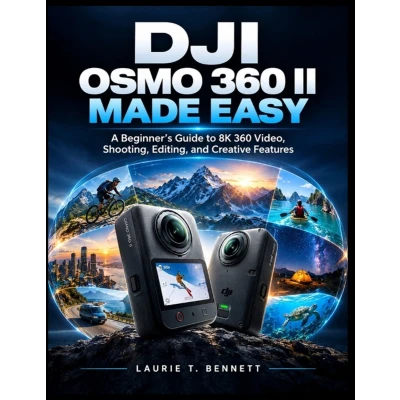
Just got your DJI Osmo 360 II and wondering where to begin? A 360° camera can feel completely different from a traditional camera. With unfamiliar controls, shooting modes, resolution settings, reframing, stabilization features, and editing workflows, it's easy to feel overwhelmed by everything the camera can do. DJI Osmo 360 II Made Easy is designed to make that learning curve simpler. This beginner-friendly guide takes you step by step from your first setup to creating polished 360° videos and photos. You don't need previous 360° camera experience, advanced video-editing knowledge, or technical camera expertise. Inside, you'll learn how to: - Set up your DJI Osmo 360 II, connect it to DJI Mimo, and complete essential firmware and camera settings- Understand the touchscreen, buttons, menus, shooting modes, and camera controls- Make sense of 360° video, 8K/60fps, resolution, frame rates, aspect ratios, HDR, and bitrate- Choose the right settings for travel, action, vlogging, sports, everyday moments, and low-light situations- Capture better footage while walking, running, biking, hiking, or moving quickly- Use Panoramic Video, Single-Lens Video, Boost Video, SuperNight, Time-Lapse, Slow Motion, Pre-Recording, and livestreaming- Explore AI SuperNight 2.0, Spotlight Follow, RockSteady, HorizonSteady, voice commands, gesture controls, Twist Shot, Motion Blur, and HDR- Take 120MP 360° photos and improve your results in challenging lighting conditions- Use DJI Mimo to import, manage, reframe, edit, export, and share your footage- Use DJI Studio for reframing, keyframes, subject tracking, slow motion, and finished video exports- Create POV, travel, action, sports, motorcycle, cycling, family, and social-media content- Understand microSD cards, storage, battery management, selfie sticks, lens protection, and other accessories- Troubleshoot common problems involving charging, connectivity, firmware, storage, overheating, video quality, stitching, audio, and battery life The book also includes practical checklists, settings cheat sheets, shooting-mode references, editing workflows, troubleshooting guides, and 10 practice projects to help you build confidence through hands-on use. >Instead of guessing which shooting mode to choose or getting lost in camera settings, you'll have a practical reference you can return to before a shoot, during editing, or whenever something doesn't work as expected. Whether you're exploring 360° video for the first time, creating travel and adventure footage, making social-media content, or simply trying to get more from your camera, this guide is built to take you from curious beginner to confident Osmo 360 II creator. Don't leave your Osmo 360 II's creative potential unexplored. Get DJI Osmo 360 II Made Easy today and start turning your camera into a creative tool you actually understand and enjoy using.
 Prijshistorie
 * Prijshistorie bevat geen data van Amazon, Amazon Marketplace.
Prijzen voor het laatst bijgewerkt op:
 Gerelateerde resultaten
 Productspecificaties


