


€ 17,00 € 2,99 verzendkosten Totaal € 19,99

Gesponsorde links
|
|
17,00 |
Naar shop
|

|
17,85 |
Naar shop
|

|
17,85 |
Naar shop
|
| VERGELIJK ALLE AANBIEDERS (3) | ||
 Beschrijving
Vergelijk aanbieders (3)
Gesponsorde links · Sommige shops betalen ons een vergoeding
€ 17,00 € 2,99 verzendkosten Totaal € 19,99
€ 17,85 Gratis verzending
€ 17,85 Gratis verzending
Winkels met andere maten
Beschrijving
(1)
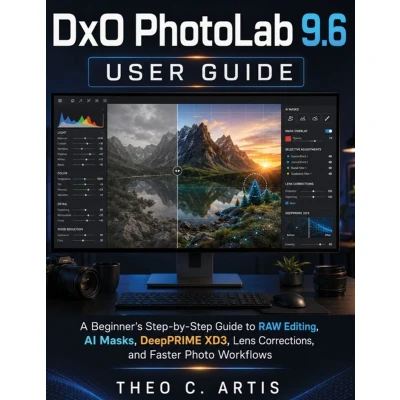
Turn your RAW photos into polished, professional images without feeling overwhelmed by complicated editing tools.DxO PhotoLab 9.6 offers powerful features for improving image quality, correcting lens problems, reducing noise, and speeding up your editing process. But for a beginner, learning where to start, which tools to use, and how to create consistent results can quickly become confusing.DxO PhotoLab 9.6 User Guide provides a clear, practical, and step-by-step approach to mastering the software. Written for beginners, photographers, content creators, and editing enthusiasts, this guide explains essential tools and workflows in straightforward language, helping you move confidently from importing your first RAW file to exporting a finished photograph.Inside this guide, you will discover how to: - Set up and navigate the DxO PhotoLab 9.6 workspace - Import, organize, sort, and manage your photo library - Understand RAW files and build an efficient editing workflow - Correct exposure, contrast, color, white balance, and tonal range - Apply automatic lens corrections for distortion, vignetting, and softness - Use AI Masks to select subjects, skies, backgrounds, and specific image areas - Make accurate local adjustments without affecting the entire photograph - Reduce digital noise using DeepPRIME XD3 while preserving fine detail - Improve sharpness, clarity, texture, and overall image quality - Edit multiple photographs more efficiently with presets and batch processing - Compare before-and-after results and avoid common editing mistakes - Export images correctly for printing, social media, websites, and archiving - Develop faster and more consistent photo-editing workflowsEach chapter focuses on practical actions rather than unnecessary technical language. Clear explanations, logical steps, and beginner-friendly guidance make it easier to understand what each tool does, when to use it, and how it can improve your photographs.Whether you are editing travel images, portraits, landscapes, wildlife photographs, family memories, or professional assignments, this guide will help you work with greater confidence and control.Stop guessing your way through RAW editing. Learn how to use DxO PhotoLab 9.6 more effectively, produce cleaner and sharper images, and create a workflow that saves time.Get your copy today and start transforming your photographs one step at a time.
 Prijshistorie
 * Prijshistorie bevat geen data van Amazon, Amazon Marketplace.
Prijzen voor het laatst bijgewerkt op:
 Gerelateerde resultaten
 Productspecificaties


