

€ 21,19 Gratis verzending

Gesponsorde links
|
|
21,19 |
Naar shop
|

|
21,19 |
Naar shop
|

|
21,19 |
Naar shop
|
| VERGELIJK ALLE AANBIEDERS (3) | ||
 Beschrijving
Vergelijk aanbieders (3)
Gesponsorde links · Sommige shops betalen ons een vergoeding
€ 21,19 Gratis verzending
€ 21,19 Gratis verzending
€ 21,19 € 2,99 verzendkosten Totaal € 24,18
Winkels met andere maten
Beschrijving
(1)
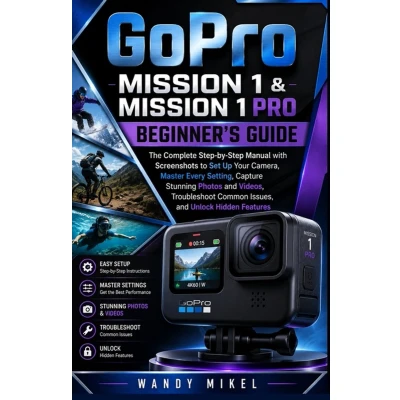
Welcome to GoPro Mission 1 Made Easy If you're holding this book, you've probably just unboxed your new GoPro Mission 1-or you're thinking about buying one. Either way, you might also be feeling a tiny bit of uncertainty. Maybe you're thinking: - "I'm not very tech-savvy."- "The manual is too small to read."- "I'm worried I'll press the wrong button and lose my vacation videos."Let me stop you right there. You've got this. And this guide was written specifically for you. Why This Book Is Different Most camera guides are written by young tech enthusiasts who assume you already understand terms like "ISO," "shutter speed," or "codec." They pack every page with jargon and tiny screenshots that make your eyes hurt. This book is not that. GoPro Mission 1 Made Easy is written in plain English, with large text, clear steps, and no unnecessary fluff. Every instruction is broken down into single, simple actions-what I call "one click at a time." You won't find whole chapters of theory. Instead, you'll find practical, click-by-click instructions that take you from "what's in the box" to "look at that amazing video I just shot." Who This Book Is For This guide is designed for two groups of people: - Absolute beginners - People who have never owned an action camera or even a digital camera beyond their phone.- Seniors - Readers who want larger text, slower pacing, and instructions that respect their time and experience. No condescending tone. No rushed explanations. Even if you've never changed a camera setting in your life, you will feel confident by Chapter 3. What You Will Learn (Without Getting Overwhelmed) We'll walk through your GoPro Mission 1 step by step: Every chapter ends with a "One-Click Recap" -a single sentence that summarizes what you just learned. No need to re-read pages to remember. A Note on "Senior-Friendly" Throughout this book, you'll notice: - Large-print text (11.5 point font or larger for instructions)- Clear contrast (no light gray text on white backgrounds)- Numbered steps that never run across page breaks- "Try It Now" boxes - small practice exercises after each major conceptIf you're a senior reading this alone, or a family member helping an older loved one, you'll appreciate the extra care taken with layout and language. How to Get the Most From This Book You do not need to read this book cover to cover before touching your camera. Instead: - Keep this book next to your GoPro Mission 1.- Read one small section at a time.- Pick up the camera and follow the steps immediately.- If you get stuck, flip to the Troubleshooting chapter (Chapter 8). And remember-there are no mistakes, only practice shots. The delete button exists for a reason.
 Prijshistorie
 * Prijshistorie bevat geen data van Amazon, Amazon Marketplace.
Prijzen voor het laatst bijgewerkt op:
 Gerelateerde resultaten
 Productspecificaties


