


€ 16,00 € 2,99 verzendkosten Totaal € 18,99

Uitgelicht
|
|
16,00 |
Naar shop
|

|
17,52 |
Naar shop
|

|
17,52 |
Naar shop
|
| VERGELIJK ALLE AANBIEDERS (3) | ||
 Beschrijving
Vergelijk aanbieders (3)
€ 16,00 € 2,99 verzendkosten Totaal € 18,99
€ 17,52 Gratis verzending
€ 17,52 Gratis verzending
Winkels met andere maten
Beschrijving
(1)
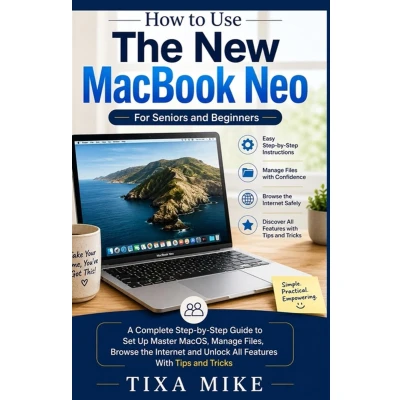
Welcome to your new MacBook Neo - and to a simpler way of learning how to use it. If you're holding this book, you've probably just unboxed a shiny new MacBook Neo. Or maybe you've had it for a while, but it still feels a little... intimidating. Don't worry. You are not alone - and you are not "bad with technology." You just haven't had someone explain things in a way that makes sense to you. That's exactly why I wrote this book. Who this book is for This guide is for seniors, first-time computer users, and anyone who feels overwhelmed by technical jargon. You don't need to know what "the cloud" is. You don't need to understand RAM, processors, or operating systems. All you need is the desire to learn at your own pace - and a MacBook Neo. Inside, you won't find confusing shortcuts, geeky terms, or steps that skip ahead. Instead, you'll find: Large, easy-to-read text (no squinting!) Step-by-step instructions - one small thing at a time Plain English - no "device initialization" or "system optimization" What you'll learn This book focuses on the things real people actually use every day. You will learn how to: Set up your MacBook Neo right out of the box - safely and easily Connect to the internet and send your first email Make video calls with Zoom or FaceTime to see your family and friends Organize your photos so you never lose a memory Use iCloud to keep your important files safe without doing anything complicated Stay private and secure online - without being paranoid Every chapter builds on the last one, but you can also jump straight to whatever you need help with today. Forgot how to change the text size? Turn to Chapter 4. Not sure how to accept a Zoom call? Chapter 8 is waiting for you. How to use this book Go slowly. Read one section, then try it on your MacBook Neo. Close the book and practice. When you're comfortable, move on. There is no test, no timer, and no "right way" to learn. If you make a mistake - and you will, because everyone does - don't worry. Computers are designed to let you try again. Nothing you do in this book will break your MacBook Neo. I promise. A note about the "Neo" name You might have noticed that the official name from Apple is slightly different. This book works for any modern MacBook (Air, Pro, or similar). But I've kept the friendly name "MacBook Neo" throughout so it feels like your computer - not some technical model number. Are you ready? Take a deep breath. You've already taken the hardest step: deciding to learn. Now turn the page, open your MacBook Neo, and let's begin. One click at a time. You've got this. - Your guide
 Prijshistorie
 * Prijshistorie bevat geen data van Amazon, Amazon Marketplace.
Prijzen voor het laatst bijgewerkt op:
 Gerelateerde resultaten
 Productspecificaties


