

€ 24,43 Gratis verzending

Gesponsorde links
|
|
24,43 |
Naar shop
|

|
25,99 |
Naar shop
|
| VERGELIJK ALLE AANBIEDERS (2) | ||
 Beschrijving
Vergelijk aanbieders (2)
Gesponsorde links · Sommige shops betalen ons een vergoeding
€ 24,43 Gratis verzending
€ 25,99 Gratis verzending
Winkels met andere maten
Beschrijving
(1)
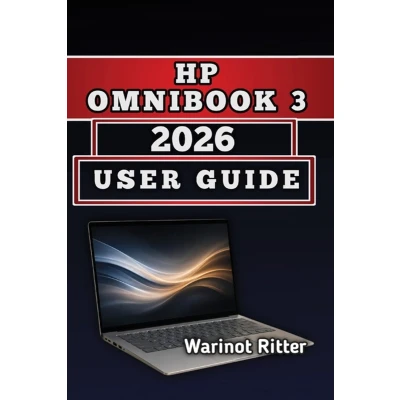
Most laptop owners never unlock their device's full potential. They fumble through setup, struggle with battery optimization, and panic when problems arise. What if you had a complete guide showing you exactly how to configure every feature, troubleshoot any issue, and keep your OmniBook 3 running optimally for years? This "HP Omnibook 3 2026 User Guide" does exactly that. Whether you're a first-time laptop user, a working professional, or a tech-savvy enthusiast, this 10-chapter manual covers everything from initial setup to advanced troubleshooting. You'll discover practical strategies for extending battery life by 30-40%, optimizing system performance, configuring Windows 11 security properly, and fixing common issues without expensive tech support. Inside you'll find: Complete hardware specifications and processor comparisons to understand exactly what you own. Display technology breakdown explaining OLED vs. IPS and what it means for your work. Battery science and real-world endurance testing so you know actual runtimes, not marketing claims. AI features and NPU technology explained in practical, understandable language. Step-by-step troubleshooting for slow performance, WiFi drops, overheating, and battery drain. Security configuration guide to protect your data with Windows Defender, firewall, and privacy settings. Long-term ownership strategy covering 3-5 year maintenance schedules and upgrade planning. Advanced topics including benchmarking tools, component upgrades, and professional workflows. This guide isn't promotional material-it's honest, technical education from someone who researched actual specifications, tested real-world performance, and compiled verified information into actionable guidance. Stop guessing. Stop wasting time searching forums. Get the complete knowledge you need to confidently manage your laptop.
 Prijshistorie
* Prijshistorie bevat geen data van Amazon.
Prijzen voor het laatst bijgewerkt op:
 Gerelateerde resultaten
 Productspecificaties


