


€ 20,00 € 2,99 verzendkosten Totaal € 22,99

Uitgelicht
|
|
20,00 |
Naar shop
|

|
21,34 |
Naar shop
|
| VERGELIJK ALLE AANBIEDERS (2) | ||
 Beschrijving
Vergelijk aanbieders (2)
€ 20,00 € 2,99 verzendkosten Totaal € 22,99
€ 21,34 Gratis verzending
Winkels met andere maten
Beschrijving
(1)
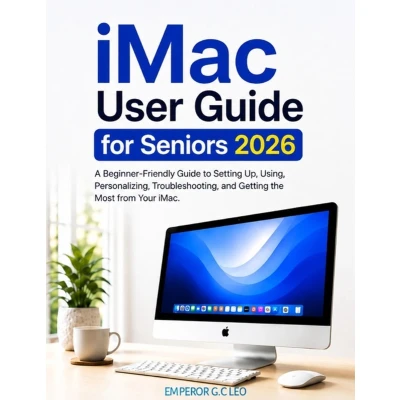
iMac User Guide for Seniors 2026 A Beginner-Friendly Guide to Setting Up, Using, Personalizing, Troubleshooting, and Getting the Most from Your iMac Have you recently purchased an iMac and aren't sure where to begin? Or have you been using your iMac for a while but still find some features confusing? iMac User Guide for Seniors 2026 is designed to make learning your iMac simple, comfortable, and less intimidating. Written specifically with beginners and senior users in mind, this practical guide takes you step by step through the essential skills you need to use your iMac with greater confidence. You don't need to be a computer expert, and you don't need to memorize complicated technical terms. The explanations are straightforward, practical, and focused on everyday tasks. Inside This Guide, You'll Learn How To: - Set up your iMac and understand the essential hardware - Get familiar with macOS and the desktop - Use the mouse, keyboard, Dock, Finder, and other essential controls - Create, save, organize, move, and find your files - Browse the internet and use search engines more confidently - Send and manage email and communicate online - Work with documents, PDFs, photographs, and everyday files - Use useful apps for productivity and personal tasks - Adjust text size, display settings, pointer size, sound, and other preferences - Personalize your iMac for greater comfort and easier navigation - Manage notifications and reduce unnecessary distractions - Connect and use compatible accessories and peripherals - Print and scan documents - Keep your files organized and backed up - Recognize and troubleshoot common iMac problems - Improve your everyday computer habits - Protect your personal information and stay safer online >Designed for Real Beginners You won't be expected to already understand technical computer language. Concepts are introduced gradually, with practical explanations that help you understand not only what to do, but also why you're doing it. Whether you are learning how to use an iMac for the first time, helping a parent or grandparent become more comfortable with technology, or simply want a clearer reference guide for everyday Mac tasks, this book provides a practical place to start. Learn at Your Own Pace >You can read it from beginning to end or jump directly to the topic you need. Keep it nearby while using your iMac and return to individual sections whenever you need a refresher. Technology doesn't have to be overwhelming. With the right guidance and a little practice, you can become more comfortable navigating your iMac, managing your files, using everyday applications, solving common problems, and getting more value from your computer. Take your time, follow the steps, and enjoy becoming more confident with your iMac.
 Prijshistorie
 * Prijshistorie bevat geen data van Amazon.
Prijzen voor het laatst bijgewerkt op:
 Gerelateerde resultaten
 Productspecificaties


