

€ 14,65 Gratis verzending

Uitgelicht
|
|
14,65 |
Naar shop
|

|
14,65 |
Naar shop
|

|
16,00 |
Naar shop
|
| VERGELIJK ALLE AANBIEDERS (3) | ||
 Beschrijving
Vergelijk aanbieders (3)
€ 14,65 Gratis verzending
€ 14,65 Gratis verzending
€ 16,00 € 2,99 verzendkosten Totaal € 18,99
Winkels met andere maten
Beschrijving
(1)
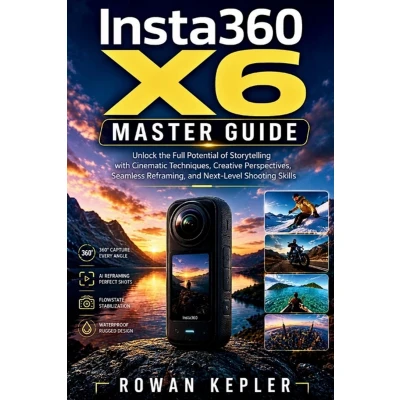
One camera. A completely different way to shoot.The real fun starts when you stop treating a 360 camera like a regular point-and-shoot.This guide takes you deep into the tools that make 360 footage so versatile-from choosing the right capture mode to turning ordinary clips into dramatic, carefully framed shots during editing.Learn how to work with 360 Video, Single-Lens and FreeFrame modes, PureVideo for low-light scenes, Horizon Lock, TimeShift, Bullet Time, StarLapse, and the other specialized shooting options built into the camera.You'll also discover how to: - Set resolution, frame rate, color, and Pro Controls for different shooting situations- Reframe 360 footage with keyframes and choose the right aspect ratio- Keep a moving subject in frame with subject tracking- Create invisible-selfie-stick and fake-drone perspectives- Use Instaframe, Virtual Gimbal, AI Director, and Quick Capture- Shoot time-lapse, hyperlapse, night-sky, underwater, and vehicle footage- Use ND filters and POV accessories for more creative results- Transfer footage to your phone and computer- Edit with the Insta360 app and Insta360 Studio- Build a complete workflow from recording to final exportThere's also plenty of practical guidance on mounting, alignment, camera controls, troubleshooting, and getting the right mode before you hit record.If you bought a 360 camera to create shots you can't get from a conventional camera, this is where you start. Open the guide, try the techniques, and turn your next recording session into something worth watching.
 Prijshistorie
 * Prijshistorie bevat geen data van Amazon, Amazon Marketplace.
Prijzen voor het laatst bijgewerkt op:
 Gerelateerde resultaten
 Productspecificaties


