

€ 21,07 Gratis verzending

Gesponsorde links
|
|
21,07 |
Naar shop
|

|
21,07 |
Naar shop
|

|
23,00 |
Naar shop
|
| VERGELIJK ALLE AANBIEDERS (3) | ||
 Beschrijving
Vergelijk aanbieders (3)
Gesponsorde links · Sommige shops betalen ons een vergoeding
€ 21,07 Gratis verzending
€ 21,07 Gratis verzending
€ 23,00 € 2,99 verzendkosten Totaal € 25,99
Winkels met andere maten
Beschrijving
(1)
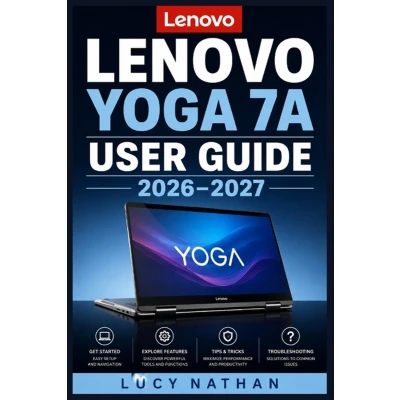
Lenovo Yoga 7A User Guide 2026-2027Are you finding it difficult to navigate the 360-degree hinge, touchscreen, or digital pen features of your new 2-in-1 PC? Are you overwhelmed by the initial setup process, Windows 11 configuration, and essential privacy settings? Are you frustrated by battery drain issues or unsure how to troubleshoot everyday performance and connectivity problems?Lenovo Yoga 7A User Guide 2026-2027 is the ultimate step-by-step manual designed to help beginners, seniors, students, and professionals master every feature, setting, and function of their touchscreen PC with total confidence.Here are 5 things you will discover in this book: - Complete First-Time Setup: Step-by-step guidance on charging, initial booting, Windows 11 configuration, and setting up biometric security via Windows Hello.- Mastering the Four Yoga Modes: Clear instructions on switching effortlessly between Laptop, Tent, Stand, and Tablet modes for maximum productivity and entertainment.- Stylus and Touchscreen Integration: How to write, draw, annotate PDFs, and navigate using multi-touch gestures and the Lenovo digital pen.- Battery Optimization and Power Management: Essential daily habits, power plans, and Lenovo Vantage settings to extend long-term battery life.- Comprehensive Troubleshooting Reference: Direct solutions for Wi-Fi dropouts, audio glitches, non-responsive screens, and slow performance issues.Get your copy today to unlock the full potential of your Lenovo Yoga 7A!
 Prijshistorie
 * Prijshistorie bevat geen data van Amazon, Amazon Marketplace.
Prijzen voor het laatst bijgewerkt op:
 Gerelateerde resultaten
 Productspecificaties


