

€ 20,34 Gratis verzending

Uitgelicht
|
|
20,34 |
Naar shop
|

|
20,34 |
Naar shop
|

|
22,00 |
Naar shop
|
| VERGELIJK ALLE AANBIEDERS (3) | ||
 Beschrijving
Vergelijk aanbieders (3)
€ 20,34 Gratis verzending
€ 20,34 Gratis verzending
€ 22,00 € 2,99 verzendkosten Totaal € 24,99
Winkels met andere maten
Beschrijving
(1)
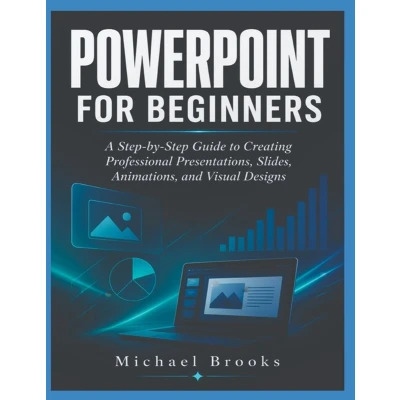
If you have never used PowerPoint before, start with Chapter One and work through the book in order. Each chapter introduces concepts that will make the following chapters easier to understand. PowerPoint is a practical application, so simply reading the instructions is not enough. Open PowerPoint on your computer and try the techniques as you encounter them. Throughout your learning process, create small presentations based on real situations. For example, you could create a school project presentation, business presentation, personal introduction, product presentation, sales presentation, training presentation, or portfolio presentation. You do not need to memorize every PowerPoint command. Focus first on understanding the most important tools and knowing where to find them. The keyboard shortcuts included near the end of the book can help you work faster. Start by learning a few shortcuts at a time rather than trying to memorize all of them at once. PowerPoint offers many ways to accomplish a task. Experiment with themes, layouts, fonts, images, shapes, colors, and other design elements. Create a dedicated folder for your PowerPoint projects. Give your presentations clear names and save different versions when making significant changes. You do not have to finish the entire book in one sitting. Learn one concept, practice it, and then move forward when you feel comfortable. If you have never used PowerPoint before, start with Chapter One and work through the book in order. Each chapter introduces concepts that will make the following chapters easier to understand. PowerPoint is a practical application, so simply reading the instructions is not enough. Open PowerPoint on your computer and try the techniques as you encounter them. Throughout your learning process, create small presentations based on real situations. For example, you could create a school project presentation, business presentation, personal introduction, product presentation, sales presentation, training presentation, or portfolio presentation. You do not need to memorize every PowerPoint command. Focus first on understanding the most important tools and knowing where to find them. The keyboard shortcuts included near the end of the book can help you work faster. Start by learning a few shortcuts at a time rather than trying to memorize all of them at once. PowerPoint offers many ways to accomplish a task. Experiment with themes, layouts, fonts, images, shapes, colors, and other design elements. Create a dedicated folder for your PowerPoint projects. Give your presentations clear names and save different versions when making significant changes. You do not have to finish the entire book in one sitting. Learn one concept, practice it, and then move forward when you feel comfortable.
 Prijshistorie
 * Prijshistorie bevat geen data van Amazon, Amazon Marketplace.
Prijzen voor het laatst bijgewerkt op:
 Gerelateerde resultaten
 Productspecificaties


