


gebruikt € 20,72 Gratis verzending

Uitgelicht
|
|
20,72 |
Naar shop
|

|
20,99 |
Naar shop
|
| VERGELIJK ALLE AANBIEDERS (2) | ||
 Beschrijving
Vergelijk aanbieders (2)
gebruikt € 20,72 Gratis verzending
€ 20,99 Gratis verzending
Winkels met andere maten
Beschrijving
(2)
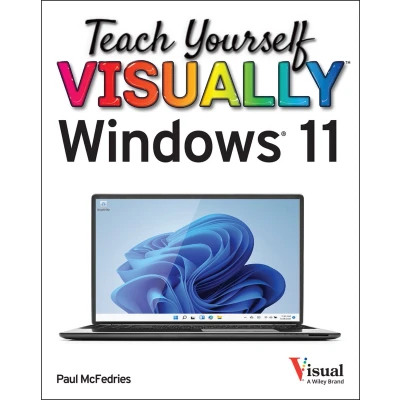
A fully illustrated, up-to-date, and start-to-finish guide to using Windows 11 devices Tired of tech books that tell you what to do but never actually show you how to use your latest devices? Then Teach Yourself VISUALLY Windows 11, 2nd Edition is for you. This book walks you through exactly how to get things done in Microsoft's newest Windows updates with crystal-clear, high-resolution screenshots and pictures that won't leave you scratching your head and wondering, “Why didn't that work?” Teach Yourself Visually Windows 11 is a complete, start-to-finish visual tour of Windows 11. It will take you from “What do I do first?” to Windows guru, one picture and instruction at a time. Looking for help on how to set up your Windows 11 tablet, laptop, or desktop computer for the first time? Teach Yourself Visually Windows 11 has got you covered with the visual interface explanations, Wi-Fi connection assistance, and Microsoft account setup directions you need to make that PC come alive. And that's just chapter one. Teach Yourself VISUALLY Windows 11 will also guide you through how to customize your PC, get connected to—and stay safe on—the web, message and email your friends and family, find specific files on your hard drive, check the weather forecast, secure your device against hackers and looky-loos, and pretty much everything else you can think of. You'll find: Hundreds of hi-res, full-page images and screenshots that demonstrate basic and advanced Windows 11 tasks you'll use every day Techniques for making your PC easier to use, including changing the font size, using your voice to active your computer, and more Ways to share your photos, videos, voice notes, and messages with your loved ones See Microsoft's new Copilot AI in action and use generated text and images in your documents, emails, and chats Teach Yourself VISUALLY Windows 11 is the easiest, most intuitive, most fun, and most effective guide for everyone who prefers “show” over “tell” and who's ready to master their Windows 11 tablet, laptop, or desktop PC.
Bol PartnerTeach yourself VISUALLY Are you a visual learner? Do you prefer instructions that show you how to do something — and skip the long-winded explanations? If so, then this book is for you. Open it up and you’ll find clear, step-by-step screen shots that show you how to tackle more than 150 Windows 11 tasks. Each task-based spread covers a single technique, sure to help you get up and running on Windows 11 in no time. You’ll learn to: Customize Windows 11 settings Get online and email friends Secure your PC against threats Protect your online and offline data Create and edit documents Designed for visual learners Two-page lessons break big topics into bite-sized modules Succinct explanations walk you through step by step Full-color screen shots demonstrate each task Helpful sidebars offer practical tips and tricks Everything you need to know about Windows 11 in a single, visual book Teach Yourself VISUALLY Windows 11 collects all the resources you need to master the day-to-day use of Microsoft’s new operating system and delivers them in a single resource. Fully illustrated, step-by-step instructions are combined with crystal-clear screenshots to walk you through the basic and advanced functions of Windows 11. Teach Yourself VISUALLY Windows 11 offers the best visual learning techniques with comprehensive source material about the interface and substance of Windows 11, as well as: Stepwise guidance on working with files, digital pictures, and media Instructions for customizing Windows 11 and sharing your computer with family members Tutorials on installing and repairing applications, system maintenance, and computer security The fastest, easiest way for visual learners to get a grip on Windows 11, Teach Yourself VISUALLY Windows 11 is the best way to go from newbie to expert in no time at all.
 Productspecificaties
| EAN |
|
|---|---|
| Maat |
|
 Prijshistorie
 Prijzen voor het laatst bijgewerkt op:
 Gerelateerde resultaten


