

€ 18,48 Gratis verzending

Uitgelicht
|
|
18,48 |
Naar shop
|

|
18,48 |
Naar shop
|

|
21,00 |
Naar shop
|
| VERGELIJK ALLE AANBIEDERS (3) | ||
 Beschrijving
Vergelijk aanbieders (3)
€ 18,48 Gratis verzending
€ 18,48 Gratis verzending
€ 21,00 € 2,99 verzendkosten Totaal € 23,99
Winkels met andere maten
Beschrijving
(1)
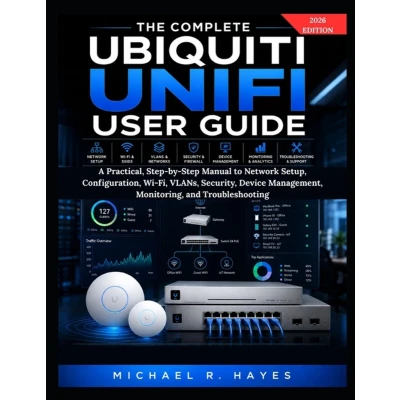
What if you could stop guessing your way through UniFi and actually build, configure, secure, and manage your network with confidence? THE COMPLETE UBIQUITI UNIFI USER GUIDE is a practical, step-by-step manual designed to help you move from owning UniFi equipment to confidently managing a real UniFi network. Whether you are setting up a home network, home lab, small office, or growing business, this guide focuses on what you actually need to do rather than overwhelming you with unnecessary networking theory. YOU WILL LEARN HOW TO: - Plan your UniFi network and choose the right equipment - Connect, adopt, update, and manage UniFi devices - Configure WAN, LAN, DHCP, DNS, and IP addressing - Create Wi-Fi networks and configure SSIDs and wireless security - Configure switches, PoE, uplinks, and port profiles - Create VLANs and separate networks for different devices - Build secure guest and IoT networks - Configure firewall policies and control traffic between networks - Manage administrators, permissions, remote access, and supported VPN solutions - Monitor devices, clients, traffic, events, alerts, and network health - Troubleshoot adoption, connectivity, DHCP, DNS, VLAN, firewall, and Internet problems - Diagnose slow Wi-Fi, weak coverage, interference, roaming, and disconnections - Troubleshoot PoE, cables, switch ports, and uplinks - Back up, restore, update, migrate, and maintain your configuration >LEARN BY BUILDING, TESTING, AND TROUBLESHOOTING This book does more than explain what UniFi features do. It teaches you how to use them. You will work through realistic network scenarios, IP addressing examples, VLAN configurations, Wi-Fi settings, security policies, device-management procedures, troubleshooting workflows, and verification steps. You will learn what to configure, why the setting matters, what you should expect to see, how to test your configuration, and what to check when something goes wrong. FROM FIRST CONNECTION TO CONFIDENT NETWORK MANAGEMENT Start with the fundamentals, then progress into Wi-Fi, switching, VLANs, security, monitoring, troubleshooting, backups, maintenance, and network growth. The guide is written for UniFi beginners, home users, home-lab enthusiasts, freelancers, small-business owners, office administrators, IT beginners, technicians, and aspiring network administrators. You do not need to be an experienced network engineer. You simply need your UniFi equipment, a willingness to follow the steps, and a desire to understand how your network works. Stop guessing. Stop changing settings at random. Start understanding your UniFi network. Get your equipment ready and start building.
 Prijshistorie
 * Prijshistorie bevat geen data van Amazon, Amazon Marketplace.
Prijzen voor het laatst bijgewerkt op:
 Gerelateerde resultaten
 Productspecificaties


