


€ 42,99 Gratis verzending

Uitgelicht
|
|
42,99 |
Naar shop
|
| VERGELIJK ALLE AANBIEDERS (1) | ||
 Beschrijving
Vergelijk aanbieders (1)
€ 42,99 Gratis verzending
Winkels met andere maten
Beschrijving
(1)
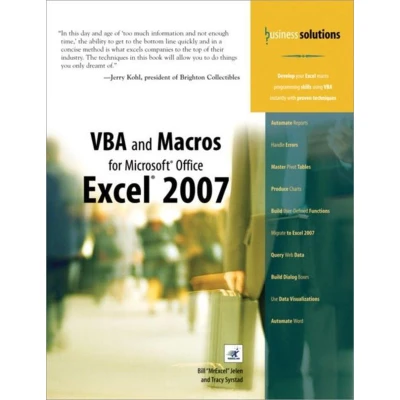
In this day and age of too much information and not enough time,' the ability to get to the bottom line quickly and in a concise method is what excels companies to the top of their industry. The techniques in this book will allow you to do things you only dreamt of. -Jerry Kohl, president of Brighton Collectibles Develop your Excel macro programming skills using VBA instantly with proven techniques Automate Reports Handle Errors Master Pivot Tables Produce Charts Build User-Defined Functions Migrate to Excel 2007 Query Web Data Build Dialog Boxes Use Data Visualizations Automate Word You are an expert in Excel, but the macro recorder doesn't work and you can't make heads or tails out of the recorded code. If this is you, buy this book. Macros that you record today might work today but not tomorrow. Recorded macros might handle a dataset with 14 records but not one with 12 or 16 records. These are all common problems with the macro recorder that unfortunately cause too many Excel gurus to turn away from writing macros. This book shows you why the macro recorder fails and the steps needed to convert recorded code into code that will work every day with every dataset. The book assumes that you know Excel well, but there is no need for prior programming experience. This book describes everything you could conceivably need to know to automate reports and design applications in Excel VBA. Whether you want to automate reports for your office or design full-blown applications for others, this book is for you.Learn VBA syntax as easy-to-understand EnglishAutomate Excel's power tools: Pivot Tables, Charts, Advanced FiltersSave hours per week by automating redundant tasksCreate applications built on top of Excel with custom dialog boxesAutomatically produce hundreds of Excel reports in secondsUnderstand how changes in Excel 2007 impact your VBA macrosIntroduction 11 Unleash the Power of Excel with VBA 72 This Sounds Like BASIC, So Why Doesn't It Look Familiar? 29 3 Referring to Ranges 61 4 User-Defined Functions 755 Looping and Flow Control 1016 R1C1-Style Formulas 1217 What's New in Excel 2007 and What's Changed 1358 Create and Manipulate Names in VBA 1439 Event Programming 15510 UserForms--An Introduction 17711 Creating Charts 19712 Data Mining with Advanced Filter 24913 Using VBA to Create Pivot Tables 28114 Excel Power 33715 Data Visualizations and Conditional Formatting 37316 Reading from and Writing to the Web 39317 XML in Excel 2007 41318 Automating Word 42119 Arrays 44120 Text File Processing 44921 Using Access as a Back End to Enhance Multi-User Access to Data 46122 Creating Classes, Records, and Collections 47723 Advanced UserForm Techniques 49324 Windows Application Programming Interface (API) 51725 Handling Errors 52926 Customizing the Ribbon to Run Macros 54327 Creating Add-Ins 569Index 577
 Productspecificaties
| EAN |
|
|---|---|
| Maat |
|
 Prijshistorie
 Prijzen voor het laatst bijgewerkt op:
 Gerelateerde resultaten


