

€ 15,74 Gratis verzending

Uitgelicht
|
|
15,74 |
Naar shop
|

|
17,00 |
Naar shop
|
| VERGELIJK ALLE AANBIEDERS (2) | ||
 Beschrijving
Vergelijk aanbieders (2)
€ 15,74 Gratis verzending
€ 17,00 € 2,99 verzendkosten Totaal € 19,99
Winkels met andere maten
Beschrijving
(1)
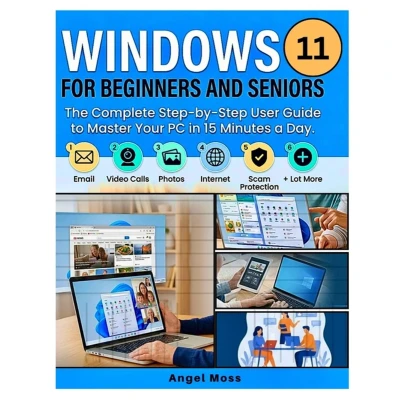
Finally, a Windows 11 Guide That Slows All the Way Down - So You Never Feel Lost, Rushed, or "Too Old for This" AgainIf you've ever had a well-meaning grandchild grab the mouse, click six things in three seconds, say "there, done," and walk off - leaving you with no idea what just happened - this book was written for you.The problem was never you. Nobody explained it at the right speed. Until now.Written in a warm, patient, jargon-free voice, Windows 11 for Beginners and Seniors starts at the very beginning - where the power button is, how to hold a mouse, how to make a capital letter - and gently builds your confidence until you can do all the things you actually bought a computer for.In just 15 minutes a day, you'll learn how to: - Turn on, sign in, and set up a PIN you'll actually remember (safely)- Use the mouse, touchpad, and keyboard without fear of "breaking something"- Send and receive email to your family, one calm step at a time- Make video calls and finally see your grandchildren's faces on the screen- Get on the internet, search the web, and look up anything in the world- View, organize, and share your photos with the people you love- Find, save, and never lose your files and folders again- Spot and avoid the scams and tricks designed to fool everyday people (please read this chapter twice)- Meet Copilot, your built-in helper, and let it do the hard parts for you- Make the screen easier to see, hear, and use - for tired eyes and hands- And Lot MoreWhy this guide works when others leave you frustrated: - One small action per step. Never three or four things crammed together - that's exactly how people get lost.- Every new word explained in plain English before it's used again. Nothing assumed.- Large, easy-to-follow layout with clear screenshots and pointers to the exact spot on your screen.- Gentle "Try This," "Good to Know," and "Careful Here" boxes that make everything stick.- Fully updated for the 2026 edition of Windows 11 - the newest Start Menu, Settings, and features.You can go as slowly as you like. Reread any page. Keep a cup of tea nearby. There's no race, and no prize for finishing quickly - just steady, unhurried progress until sitting down at your computer feels natural instead of nerve-racking.You are not too old, too late, or too "bad with technology" to learn this. Thousands of people who said those exact words went on to master their PCs - because someone finally explained it properly. This book is that someone.Scroll up and click "Buy Now" to start using your computer with confidence - today.
 Prijshistorie
 * Prijshistorie bevat geen data van Amazon.
Prijzen voor het laatst bijgewerkt op:
 Gerelateerde resultaten
 Productspecificaties


