

€ 21,61 Gratis verzending

Gesponsorde links
|
|
21,61 |
Naar shop
|

|
21,61 |
Naar shop
|

|
23,99 |
Naar shop
|
| VERGELIJK ALLE AANBIEDERS (3) | ||
 Beschrijving
Vergelijk aanbieders (3)
Gesponsorde links · Sommige shops betalen ons een vergoeding
€ 21,61 Gratis verzending
€ 21,61 Gratis verzending
€ 23,99 € 2,99 verzendkosten Totaal € 26,98
Winkels met andere maten
Beschrijving
(1)
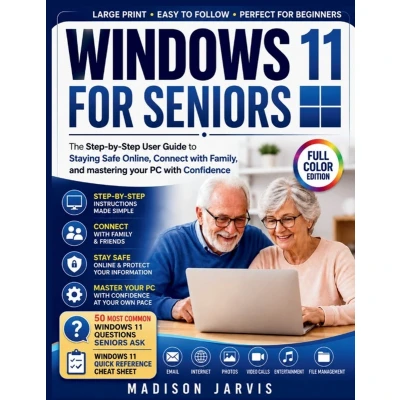
Do you feel overwhelmed every time your computer displays a new screen, asks for an update, or uses words you don't understand?Have you ever worried about clicking the wrong button, losing important files, falling for online scams, or simply feeling left behind in today's digital world?You're not alone.Millions of seniors want to enjoy the benefits of technology without the frustration, confusion, and technical jargon that often come with it. That's exactly why Windows 11 for Seniors was created.This beginner-friendly guide takes you by the hand and walks you through Windows 11 in clear, simple language-one step at a time. No complicated explanations. No confusing terminology. Just practical guidance that helps you use your computer with confidence and independence.Inside, you'll discover how to navigate Windows 11 with ease, organize files and photos, browse the internet safely, send emails, make video calls, and use Microsoft's most useful apps without feeling overwhelmed.In This Book, You'll Learn How To: - Set up and personalize your Windows 11 computer- Navigate the desktop, taskbar, Start Menu, and File Explorer with confidence- Browse the internet safely using Microsoft Edge and Google- Send emails, share photos, and stay connected with family and friends- Make video calls using Zoom and Microsoft Teams- Organize files, folders, and important documents- Protect yourself from scams, fake websites, and identity theft- Use Microsoft Word, OneDrive, Calendar, and Teams like a pro- Enjoy entertainment through YouTube, Netflix, music, and games- Fix common Windows 11 problems without needing technical support- Use accessibility tools, voice typing, and time-saving shortcuts- Master essential computer skills at your own paceExclusive Bonus Content Included- 50 Most Common Windows 11 Questions Seniors Ask- Windows 11 Quick Reference Cheat Sheet- Large-Print Layout for Easy Reading- Step-by-Step Instructions Designed Specifically for SeniorsWhy This Book Is DifferentUnlike many technology books that assume you already understand computers, this guide was written specifically for seniors and complete beginners. Every lesson is explained in plain English with patience, clarity, and real-world examples that make learning easy and enjoyable.Whether you're using a computer for the first time, upgrading from an older version of Windows, or simply looking to become more confident with technology, this book provides everything you need to succeed.You don't need to be tech-savvy.You don't need a background in computers.You simply need a willingness to learn.The sooner you begin, the sooner you'll enjoy the freedom, convenience, and confidence that come with mastering Windows 11.Scroll up and grab your copy of Windows 11 for Seniors today and discover how easy technology can be when it's explained the right way.
 Prijshistorie
 * Prijshistorie bevat geen data van Amazon, Amazon Marketplace.
Prijzen voor het laatst bijgewerkt op:
 Gerelateerde resultaten
 Productspecificaties


